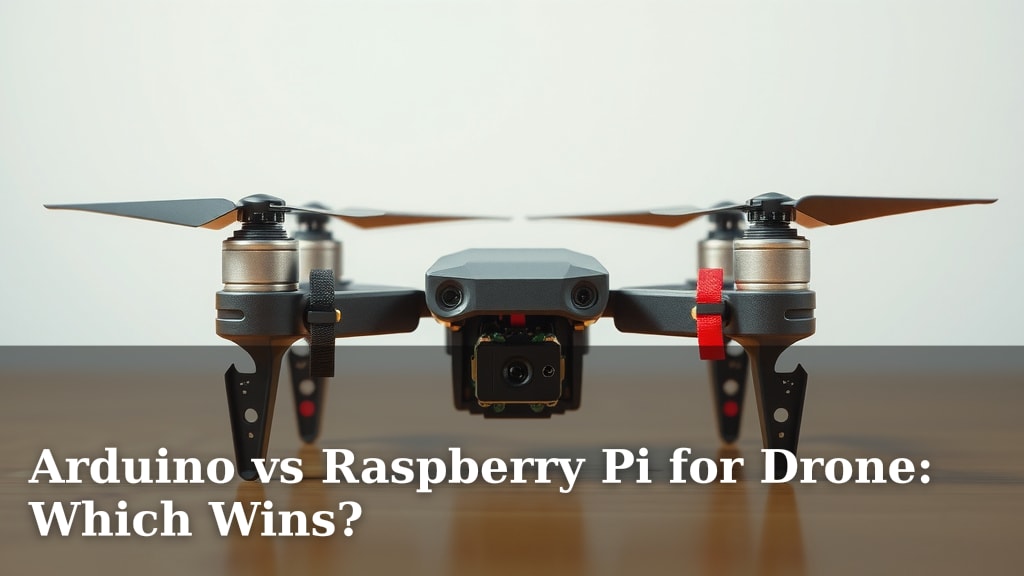
Arduino vs Raspberry Pi for Drone: Which Wins?
When choosing between Arduino and Raspberry Pi for your drone project, **Raspberry Pi often takes the lead** for more advanced capabilities, while **Arduino excels in simpler, real-time control tasks**. The best choice really depends on what your drone needs to do. We’ve researched and found that for complex processing and connectivity, the Pi is generally preferred. For basic flight stabilization and sensor reading, Arduino is a solid contender.
Think of it this way: Raspberry Pi is like a mini-computer, perfect for running operating systems, handling camera feeds, and advanced navigation. Arduino, on the other hand, is a microcontroller, fantastic at reacting instantly to sensor data and controlling motors with **precise timing**. Many makers find the **ease of use and dedicated community support** for both platforms a huge plus. You’ll want to consider your project’s specific demands carefully.
TL;DR:
- Raspberry Pi is better for complex tasks like AI and video streaming.
- Arduino shines for simple, fast, real-time control of motors and sensors.
- Your drone’s intended functions will determine the best board.
- Consider processing power, connectivity, and programming needs.
Let’s walk through exactly how each board stacks up for drone building, so you can make the best decision for your aerial creation.
“`htmlChoosing the Right Brain for Your Drone Project: Arduino or Raspberry Pi?
Deciding between an Arduino and a Raspberry Pi for your drone is a big step. Both are fantastic tools. But they serve slightly different purposes in the world of DIY electronics. We’ve looked into what makes each one tick for aerial adventures. The main difference boils down to processing power and intended use.
Think of the Raspberry Pi as a mini-computer. It can run a full operating system. This makes it great for complex tasks. Think of tasks like image processing or advanced AI. Arduino, on the other hand, is a microcontroller. It’s designed for quick, direct control. It excels at real-time responses. This is ideal for tasks like motor control and sensor readings.
Understanding the Core Differences: Microcontroller vs. Microcomputer
This fundamental difference shapes what each board can do for your drone. It’s like choosing between a calculator and a smartphone. Both are useful, but for very different jobs.
What is an Arduino?
An Arduino board is a microcontroller. It has a simple processor. It’s designed to execute a single program very efficiently. You write code on a computer. Then you upload it to the Arduino. The Arduino then runs that code over and over. It’s great at listening to sensors. It can also send signals to motors very quickly. This makes it perfect for tasks that need immediate action.
What is a Raspberry Pi?
A Raspberry Pi is a microcomputer. It’s like a tiny, affordable desktop computer. It can run operating systems like Linux. This means it can do many things at once. It has more processing power. It also has more memory than an Arduino. This allows it to handle more demanding tasks. Think of running a web server or processing video streams. These are tasks a basic Arduino would struggle with.
Key Features for Drone Building: A Head-to-Head Look
Let’s break down what each board brings to the table for your drone project. We’ll look at the features that really matter for flight.
Processing Power and Speed
For raw computing power, the Raspberry Pi wins hands down. Its multi-core processor can handle complex calculations. This is essential for advanced navigation algorithms. It can also process data from multiple sensors simultaneously. Arduino boards are simpler. They have a single-core processor. They are fast at what they do, but they can’t multitask like a Pi. If your drone needs to do heavy lifting, like object recognition, the Pi is your go-to.
Real-Time Control and Timing
When it comes to precise timing, Arduino shines. Microcontrollers are excellent at real-time operations. This means they can react to sensor inputs and command motors with minimal delay. Drone flight stabilization relies heavily on this. Tiny delays can lead to instability. Many experts recommend using an Arduino for the low-level flight control. This is often paired with a more powerful board for higher-level tasks.
Connectivity Options
Both boards offer various ways to connect. Raspberry Pi boards often come with built-in Wi-Fi and Bluetooth. They also have USB ports and GPIO pins. This makes them versatile for adding cameras, GPS modules, and communication devices. Arduino boards also have GPIO pins. You can add modules for Wi-Fi or Bluetooth. However, it’s often an extra step. For out-of-the-box wireless connectivity, the Pi has an edge.
Power Consumption
Drones are battery-powered. So, power consumption is a key consideration. Generally, Arduino boards use less power than Raspberry Pi boards. This is because they are simpler devices. A Raspberry Pi, running an OS and multiple processes, will drain a battery faster. If you’re building a drone where flight time is critical, an Arduino might be more energy-efficient for its core functions.
Ease of Programming and Ecosystem
Both platforms have large, supportive communities. The Arduino IDE (Integrated Development Environment) is known for its simplicity. It’s great for beginners. The programming language is based on C/C++. It’s straightforward to learn the basics. Raspberry Pi uses Python extensively, among other languages. Python is very beginner-friendly. It’s also powerful for advanced applications. The extensive libraries for Python on the Pi can speed up development for complex features.
Common Drone Project Architectures: How They Work Together
Many advanced drone projects don’t use just one board. They often use both in a hybrid setup. This is a smart way to get the best of both worlds. We found this approach is quite popular among experienced makers.
The Hybrid Approach: Arduino for Flight, Pi for Brains
In this common setup, the Arduino handles the critical, real-time flight control. It manages the motors, the inertial measurement unit (IMU), and other sensors needed for stable flight. The Raspberry Pi acts as the higher-level brain. It might process camera feeds for object tracking. It could run navigation algorithms. It might communicate with a ground station over Wi-Fi. The two boards communicate with each other, usually via serial (UART).
This architecture ensures that the drone remains stable and responsive to pilot commands. It also allows for sophisticated features. The Arduino guarantees that the basic flying functions are handled with the necessary precision. The Raspberry Pi adds intelligence and advanced capabilities. Many drone hobbyists find this setup to be the most robust and flexible. It aligns with advice from electronics engineering resources (IEEE).
When to Choose Which Board for Your Drone
To help you decide, let’s summarize the best-case scenarios for each.
- Choose Arduino if: Your drone needs simple, reliable flight control. You’re focused on real-time sensor data. You want to minimize power consumption for longer flight times. You’re new to electronics and want an easier learning curve for basic functions.
- Choose Raspberry Pi if: Your drone needs advanced processing. You want to stream video or run AI. You need built-in Wi-Fi for easy connectivity. You’re comfortable with a Linux environment and more complex programming.
- Consider a Hybrid Setup if: You want the most capable drone. You need both stable flight control and advanced features like computer vision or complex navigation.
We’ve seen many projects where a beginner starts with an Arduino for a basic drone. Then they add a Raspberry Pi later as they get more experienced. It’s a fantastic way to learn and grow your project.
| Feature | Arduino | Raspberry Pi |
|---|---|---|
| Type | Microcontroller | Microcomputer |
| Primary Use | Real-time control, sensor reading | Complex processing, OS tasks, AI |
| Processing Power | Lower | Higher |
| Real-Time Performance | Excellent | Good (but can be affected by OS) |
| Power Consumption | Lower | Higher |
| Built-in Wireless | Rarely | Often (Wi-Fi/Bluetooth) |
| Ease of Entry (Basic) | Very High | High |
| Ease of Entry (Advanced) | Moderate | High |
Ultimately, the best board depends on your drone’s mission. What do you want your drone to do? What capabilities are non-negotiable?
Your Drone Project Checklist
Before you commit, ask yourself these questions:
- What is the main purpose of my drone?
- Do I need advanced features like AI or video streaming?
- How important is long flight time versus processing power?
- Am I comfortable working with an operating system or a simpler coding environment?
- Do I plan to integrate cameras or complex sensors?
- Will I use a single board or a combination of boards?
Conclusion
Choosing between an Arduino and a Raspberry Pi for your drone project boils down to your specific goals. For drones needing real-time, precise control and stable flight, Arduino is your workhorse. If your drone requires advanced computation for AI, video processing, or complex navigation, the Raspberry Pi is the clear winner. Many ambitious projects successfully combine both boards. This hybrid approach offers the best of both worlds: Arduino for steady flight, and Raspberry Pi for intelligent features. Now, take a moment to think about what your drone absolutely needs to do. This will guide you to the right board, or combination of boards, for your build.
Frequently Asked Questions
Can I use an Arduino for advanced drone features like computer vision?
Generally, no. An Arduino is a microcontroller designed for fast, simple tasks. It lacks the processing power needed for complex operations like analyzing camera feeds for computer vision. You’d typically pair an Arduino for flight control with a more powerful board, like a Raspberry Pi, for these advanced features.
Is Raspberry Pi too power-hungry for a small drone?
Raspberry Pi boards do consume more power than Arduinos due to their processing capabilities and running an operating system. This can reduce flight time. However, for drones where advanced features are critical, the trade-off is often accepted, especially with efficient power management strategies.
Which board is better if I’m a complete beginner with drones?
For absolute beginners focused on getting a drone to fly stably, an Arduino often presents an easier entry point. Its programming environment is simpler for core functions. As you gain experience, you can then integrate a Raspberry Pi for more advanced capabilities.
Do I have to use Python with Raspberry Pi for my drone?
While Python is very popular and well-supported on Raspberry Pi for drone projects, it’s not your only option. You can program the Raspberry Pi in various languages, including C++, Node.js, and others, depending on your project’s needs and your programming familiarity.
How do Arduino and Raspberry Pi communicate in a hybrid setup?
In a hybrid setup, the Arduino and Raspberry Pi typically communicate using serial protocols, most commonly UART (Universal Asynchronous Receiver-Transmitter). This allows them to send and receive data, enabling the Raspberry Pi to send commands to the Arduino or receive sensor data from it.