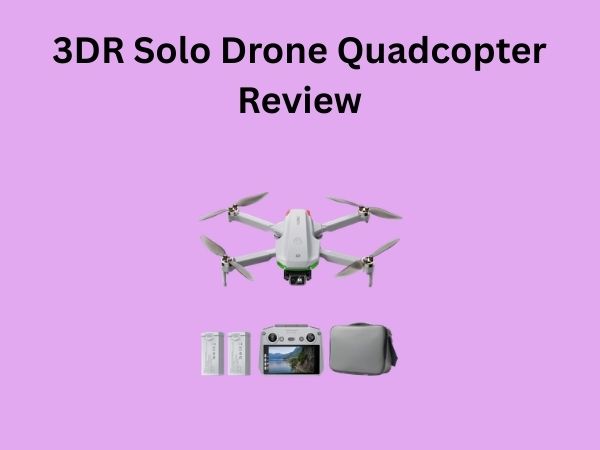
6 Axis Gyro Drone: How to Use for Stable Flight
Using a 6 axis gyro drone for stable flight is easier than you might think! These drones are designed with built-in technology that actively corrects for movement, making them much easier to fly smoothly. You can achieve fantastic stability with just a little practice and understanding of how it works.
The magic behind a 6 axis gyro drone lies in its internal sensors. These sensors constantly monitor the drone’s orientation. When it detects any tilt or unwanted movement, the gyros kick in to automatically adjust the motors. This keeps your drone level and steady, even in breezy conditions.
- Understand the 6 axis gyro system.
- Learn how to calibrate your drone.
- Practice basic flight controls.
- Use beginner modes for smoother flight.
- Adjust sensitivity settings as needed.
Ready to get your drone soaring with incredible stability? Let’s walk through exactly how to get the most out of your 6 axis gyro drone for some seriously smooth flying.
You’ve got your shiny new 6-axis gyro drone, and you’re ready to take to the skies. But how do you go from a shaky, unpredictable hover to smooth, graceful aerial maneuvers? It’s all about understanding and working with that built-in stability. Let’s break down how to get your drone flying steady and true.
Mastering Your Drone’s Stability System
The 6-axis gyro system is your drone’s built-in balance beam. It’s a sophisticated piece of tech that helps you fly like a pro, even if you’re just starting out. Think of it as having an invisible co-pilot keeping your drone level.
Understanding the Gyro’s Role
So, what exactly does a 6-axis gyro do? It uses two main types of sensors: gyroscopes and accelerometers. The gyroscopes detect rotation around different axes. The accelerometers measure linear acceleration, which helps detect tilt. Together, they constantly tell the drone’s flight controller its orientation in space. If the drone starts to tilt or drift unexpectedly, the flight controller uses this information to make tiny, rapid adjustments to the motor speeds. This keeps the drone from tumbling or flying off course. You’ll notice this effect most when you let go of the control sticks; the drone will often return to a stable hover.
The Importance of Calibration
Before you even think about flying, calibrating your drone is a **non-negotiable first step**. This process teaches the drone’s sensors its “home” position – the perfectly level state. It’s like zeroing out a scale before you weigh something. Skipping this step can lead to erratic flight behavior, making it much harder to achieve stability.
When to Calibrate
You should calibrate your drone in a few specific situations. First, always calibrate when you fly in a **new location**. Different environments can have slight magnetic variations that affect the compass. If your drone has been involved in a crash or bump, recalibration is essential. Also, if you notice your drone consistently drifting in one direction even when you’re not commanding it to, it’s time to calibrate again. Regular calibration ensures your flight controller has the most accurate data to work with.
How to Calibrate
The exact steps vary by drone model, so always consult your drone’s manual. However, most calibration processes involve placing your drone on a flat, level surface. You’ll typically need to use your remote controller to initiate the calibration sequence, often by moving the control sticks in a specific pattern. The drone might spin or beep during the process. Wait for the confirmation signal, usually a light or sound, indicating calibration is complete. It’s a quick process that pays off in **smoother, more predictable flights**.
Getting Started with Stable Flight Controls
Now that your drone is calibrated, let’s talk about actually flying it. The key to stability isn’t just the gyro; it’s how you interact with the controls. Gentle, deliberate movements are your best friends here.
Understanding Your Controller
Most drone controllers have two primary control sticks. The left stick usually controls altitude (up/down) and yaw (rotating the drone left/right). The right stick controls pitch (forward/backward) and roll (left/right tilt). The 6-axis gyro assists with making these inputs result in stable flight, but it’s not magic. If you jerk the sticks, the drone will respond sharply, and the gyro will work hard to correct, but it’s still better to make **smooth, fluid inputs**.
Gentle Stick Movements
Think of flying like steering a delicate instrument, not driving a truck. When you want to move forward, gently push the right stick forward. Hold it there for a smooth glide. To stop, ease the stick back to the center. For yaw (rotation), use small, precise movements of the left stick. Avoid sudden, jerky movements. The 6-axis gyro is designed to compensate for minor bumps or wind gusts, not for drastic pilot inputs. Practice hovering in place first. Try to keep the drone perfectly still for a minute. This builds muscle memory for **fine control**.
Altitude Control is Key
Altitude changes can significantly impact stability. Ascending too quickly can make the drone unstable, especially in wind. Lowering altitude too fast can cause the drone to drop rapidly. Always use smooth, controlled upward and downward movements with the left stick. If you find yourself struggling to maintain a steady altitude, it might be time to practice hovering at different heights. Achieving a stable hover is the **foundation of all good drone flying**.
Utilizing Beginner Modes
Many modern drones come equipped with beginner modes, and these are incredibly useful for getting a feel for stable flight. These modes often limit the drone’s maximum speed and responsiveness. This means the drone won’t react as drastically to your stick inputs, giving the 6-axis gyro more time to work and you more time to react.
What Beginner Modes Do
Beginner modes typically reduce the maximum tilt angle the drone can achieve, preventing sharp turns or dives. They also limit the overall speed, ensuring that your movements are slower and more deliberate. This is perfect for learning the basics without overwhelming yourself. Many drones also have a beginner mode that limits the flight radius from the controller, preventing you from flying too far away while you’re still getting comfortable.
When to Use Them
You should absolutely use beginner modes when you first start flying. Don’t feel like you need to jump straight into advanced settings. These modes are designed to help you build confidence and good habits. As you get more comfortable, you can gradually increase the sensitivity or disable beginner modes. It’s about mastering the fundamentals first, and beginner modes are your **safest route to success**.
Adjusting Sensitivity Settings
Once you’re comfortable with basic controls and beginner modes, you might want to fine-tune the drone’s responsiveness. Most drone apps or controllers allow you to adjust the sensitivity, often referred to as “rates” or “expo.”
Understanding Sensitivity
Higher sensitivity means the drone reacts more quickly and dramatically to small stick movements. Lower sensitivity means you need to move the sticks further to get the same reaction. For stable flight, especially when you’re learning, you’ll generally want **lower sensitivity settings**. This makes the drone feel less twitchy and more predictable. Think of it like turning down the volume on a stereo – you can still hear the music, but it’s less jarring.
Finding Your Sweet Spot
Start with your drone’s default settings or a low sensitivity. As you practice, you might find that you want slightly more responsiveness for smoother turns or faster corrections. Gradually increase the sensitivity, one small step at a time. Test the changes in an open area. The goal is to find a balance that allows for smooth control without making the drone overly sensitive to every tiny movement. Many experienced pilots adjust their sensitivity settings to perfectly match their flying style and conditions. This fine-tuning is where you really start to master **your drone’s potential for stability**.

Conclusion
You’ve learned how your 6-axis gyro drone actively works to keep you flying stable. Remember, consistent calibration is your first step for accurate flight. Gentle, deliberate control inputs make all the difference. Don’t shy away from beginner modes to build confidence. Fine-tuning sensitivity settings helps you master your drone’s responsiveness. You’re now ready to take your drone flying to the next level of smooth, controlled flight. Keep practicing, and you’ll be performing stable aerial maneuvers in no time!
Frequently Asked Questions
How does a 6-axis gyro drone help with wind?
The 6-axis gyro system helps your drone resist wind by constantly making micro-adjustments to its motors. It senses any tilt or drift caused by wind gusts and corrects them in real-time. This automatic correction keeps your drone more stable than one without this technology.
Is it okay to fly my 6-axis gyro drone indoors?
Yes, 6-axis gyro drones are excellent for indoor flying because their stability systems help them hover in place even in small spaces. Just ensure you have enough room to fly safely and avoid obstacles. Always start slowly to get a feel for its indoor maneuverability.
My drone feels a bit shaky, what should I check?
First, ensure your drone is properly calibrated on a level surface. Check that your propeller blades are securely attached and undamaged. Also, try flying in a less windy area or using a beginner mode if available. Gentle control inputs are always best for a smooth flight.
Do I need to calibrate my drone every time I fly?
It’s best practice to calibrate your drone when you fly in a new location or if it’s been bumped or crashed. While not strictly necessary for every single flight, recalibrating regularly, especially after transport or changes in environment, ensures the most accurate sensor readings for optimal stability.
What’s the difference between sensitivity and beginner mode?
Beginner modes often limit overall speed and maximum tilt angles, making the drone very forgiving. Sensitivity settings, on the other hand, control how the drone responds to your stick inputs. You can adjust sensitivity to be less responsive for stability, even outside of a beginner mode, giving you more fine-tuned control.