How Are Drones Operated? A Beginner’s Guide to Flying Like a Pro
Ever wondered what it takes to pilot a drone? You’re not alone. In today’s world, drones have become as common as smartphones, yet many people still don’t understand how these fascinating machines actually work. Whether you’re interested in aerial photography, racing, or just plain fun, understanding drone operation is your first step toward becoming a skilled pilot.
Let me walk you through everything you need to know about operating a drone—from the basic controls to advanced techniques that’ll have you maneuvering through the sky like a seasoned professional.
Understanding the Basics of Drone Operation
Before you even touch a controller, you need to grasp what makes a drone tick. A drone, or unmanned aerial vehicle (UAV), is essentially a flying robot controlled remotely by an operator on the ground. Think of it like this: if a traditional airplane is a Ferrari driven at high speeds, a drone is more like a precision instrument that demands finesse and attention to detail.
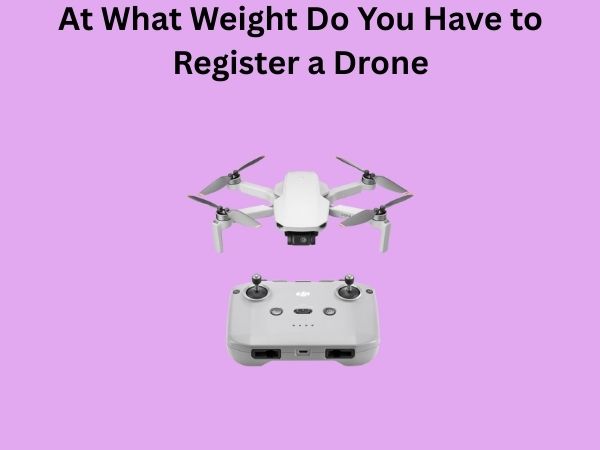
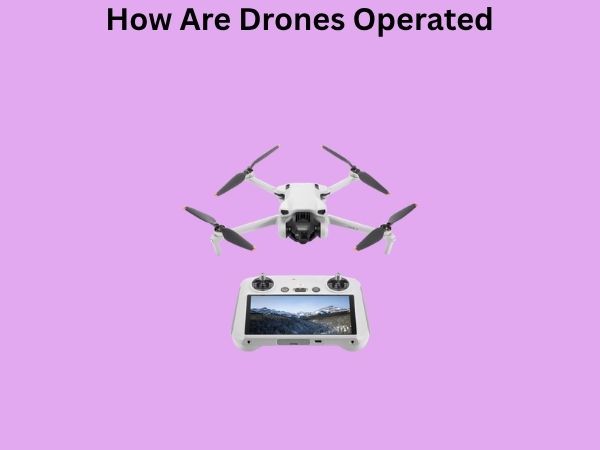
The core components that make drone operation possible include motors, propellers, a battery, sensors, and a wireless transmitter-receiver system. The transmitter (your controller) sends signals to the drone’s receiver, which interprets your commands and adjusts the motors accordingly. It’s a constant dance of adjustment and balance, happening many times per second.
The Essential Components of a Drone Control System
The Remote Controller: Your Window to the Sky
The remote controller is your primary tool for operating a drone. It’s not just a simple joystick—it’s a sophisticated piece of technology that communicates with your drone using radio frequencies. Most modern controllers feature two joysticks, multiple buttons, and sometimes even smartphone integration.
Think of the controller as an extension of your hands. You’re not just flying a machine; you’re establishing a direct connection between your brain and the drone’s movements. The controller sends millions of signals per second, each one telling the drone exactly how to adjust its motors and position itself in the air.
The Drone’s Flight Computer and Sensors
Inside your drone is a sophisticated flight controller—essentially a tiny computer that processes your commands and keeps the drone stable. This isn’t just a basic processor either. Modern drones contain gyroscopes, accelerometers, barometers, and sometimes cameras with visual positioning systems.
These sensors work together to understand the drone’s position, orientation, and movement. They’re constantly making micro-adjustments to keep your drone hovering smoothly or executing your commands precisely. Without these sensors, flying a drone would be nearly impossible—it would be like trying to balance on a tightrope while blindfolded.
Motors and Propellers: The Engines of Flight
Each drone motor is connected to a propeller, and the speed at which these motors spin directly determines how high your drone goes and how it moves through the air. Most consumer drones have four motors (quadcopters), though some have more for added stability or power.
By increasing or decreasing the speed of individual motors, the drone can move in any direction. This is where drone operation becomes truly interesting—you’re not controlling four separate motors; you’re controlling thrust, pitch, roll, and yaw through an intuitive controller interface.
Learning the Control Sticks and Basic Movements
Throttle: Making Your Drone Rise and Fall
The throttle stick (usually the left joystick on most controllers) controls your drone’s altitude. Push it up, and your drone climbs toward the clouds. Pull it down, and gravity brings it back to earth. It sounds simple, but mastering throttle control is crucial for smooth, professional-looking footage and stable flight.
When you’re just starting out, think of throttle as being separate from forward motion. You’re not making the drone go up and forward simultaneously—you’re controlling height independently of direction. This separation of controls is what makes drone operation unique compared to driving a car or piloting a traditional aircraft.
Pitch and Roll: Moving Forward, Backward, and Sideways
The right joystick controls pitch and roll, which allows your drone to move forward, backward, and sideways. Push the joystick forward, and your drone tilts its front motors slower than the rear ones, causing it to move forward through the air.
Roll works similarly but from side to side. Moving the joystick left or right causes the drone to tilt and move laterally. Combining these movements is where things get fun—you can fly complex patterns, navigate around obstacles, and capture incredible aerial footage from angles that were impossible just a decade ago.
Yaw: Rotating Your Drone Without Moving
Yaw is your drone’s ability to spin in place while maintaining its position. You control yaw with the right joystick’s horizontal movement in some controllers, or dedicated buttons in others. This is incredibly useful for keeping your camera pointed in the right direction while repositioning your drone.
Imagine you’re filming a subject to your left, but you want to move forward without the subject going out of frame. You’d increase throttle for forward movement while simultaneously adjusting yaw to keep your drone pointed at the subject. It’s this kind of multi-tasking that separates casual flyers from skilled operators.
The Pre-Flight Checklist: Never Skip This Step
Before you launch your drone into the air, you absolutely must perform a pre-flight check. This isn’t just good practice—it’s essential for safety and preventing costly crashes.
- Inspect propellers for cracks or damage
- Check that all propellers are securely attached
- Ensure the battery is fully charged and properly inserted
- Verify the remote controller is powered on and connected to the drone
- Clear your flying area of obstacles and people
- Check weather conditions—wind, rain, and extreme temperatures are your enemies
- Confirm all calibrations are complete (gyroscope, compass, camera)
- Verify your drone’s GPS signal if applicable
This checklist might seem tedious, but think of it as brushing your teeth before bed. You could skip it once and probably be fine, but make it a habit and you’ll avoid problems down the road.
Taking Off: Your First Flight Experience
The Perfect Takeoff Technique
Your first takeoff sets the tone for your entire flight. Here’s how to do it right: ensure your drone is on a flat, level surface away from grass, dirt, or sand that could be kicked up. Position yourself so you can see the drone clearly, then power on your remote controller.
Open the drone’s camera app on your connected device if you’re using one, then gently increase the throttle. Your drone should slowly rise vertically. Don’t jerk the stick—smooth, deliberate movements are your friend. As your drone reaches about five to ten feet in the air, you can practice hovering and slight movements.
Mastering the Hover: The Foundation of All Movement
Hovering is your foundation skill. If you can’t hover smoothly, executing complex maneuvers will be frustrating and result in shaky footage. When hovering, all joysticks should be centered, and your drone should maintain altitude without drifting.
If your drone drifts to one side, resist the urge to over-correct. Modern drones use intelligent stabilization systems, so small drifts are often automatically compensated. Only make adjustments if the drift continues or increases.
Advanced Maneuvering: Beyond Basic Flight
Forward Flight and Smooth Transitions
Once you’ve mastered hovering, try moving forward. Gently push the right joystick forward while maintaining steady throttle. Your drone tilts forward, and the increased speed of the rear motors propels you ahead. The key here is gentleness—aggressive movements create jerky footage and waste battery.
When returning to hover, slowly release the pitch stick back to center. Your drone will decelerate smoothly. This controlled approach to movement is what separates professional drone footage from amateur recordings.
Figure-Eight Patterns and Orbital Flights
Once you’re comfortable with basic movements, try flying figure-eight patterns. This combines forward motion, lateral movement, and coordinated stick inputs. It’s more challenging than it sounds because you need to maintain altitude while executing the pattern—essentially, you’re multitasking with multiple control inputs.
Orbital flights—where your drone circles a subject while keeping the camera pointed inward—are slightly different. You’ll use throttle, pitch, roll, and yaw in concert to maintain a circular path. Professional videographers love this technique because it creates cinematic results.
The Importance of Smooth, Deliberate Inputs
Here’s a secret that separates good pilots from great ones: professional drone footage comes from smooth, measured control inputs. Your audience can feel when a pilot has made quick, jerky movements with the sticks. Conversely, when you make slow, deliberate adjustments, the footage feels graceful and intentional.
Practice moving your sticks in slow motion. Yes, you read that correctly—actually operate your sticks more slowly than you think necessary. You’ll be amazed at how much more polished your footage becomes.
Understanding GPS and Return-to-Home Features
GPS Positioning for Stable Flight
Most modern drones include GPS capabilities, which help lock in your drone’s position even in windy conditions. GPS works by connecting to satellites that tell your drone’s computer exactly where it is on Earth. With this information, the flight computer can make tiny adjustments to keep your drone exactly where you want it.
This is why flying with GPS enabled feels different from flying without it—there’s a stability and precision that’s impossible to achieve manually. Your drone actively resists wind and maintains position even when you’re not touching the controls.
Return-to-Home: Your Safety Net
The return-to-home feature is perhaps the most valuable safety system on modern drones. When activated, your drone flies back to its launch point automatically. This is incredibly useful if your battery is running low, you lose visual contact with the drone, or you panic and need to bring it back immediately.
To use return-to-home effectively, always launch from a flat, clear area where the drone can land safely. Note the launch location before taking off, and ensure no obstacles will block the drone’s return path. Some drones are so smart they even create a map during flight and avoid obstacles they detected earlier.
Battery Management and Flight Time Optimization
Understanding Battery Capacity and Flight Duration
Drone batteries are typically measured in mAh (milliamp-hours), which indicates how much energy they can store. A larger mAh number means longer flight time, but also more weight and slower charging. Most consumer drones offer between fifteen and thirty-five minutes of flight time per charge.
However, that maximum flight time assumes perfect conditions—no wind, no aggressive maneuvering, and gentle control inputs. In reality, you’ll typically get sixty to eighty percent of the manufacturer’s claimed flight time. This is why smart pilots always plan their flights conservatively.
Extending Your Flight Sessions Responsibly
If you want to fly longer, invest in multiple batteries. This is far better than pushing a single battery to the limit. Each drone battery has a limited lifespan measured in charge cycles, so spreading your flights across multiple batteries extends your overall equipment life.
During flight, monitor your battery percentage constantly. Most drones provide this information on your controller screen or smartphone app. When your battery reaches thirty percent, start thinking about landing. At fifteen percent, land immediately. Never ignore these warnings—a sudden power loss at altitude is every pilot’s nightmare.
Safety Considerations and Legal Requirements
Flying Responsibly in Public Spaces
Drone operation comes with significant responsibility. You’re operating an aircraft, and accidents can cause injury or property damage. Always maintain visual line-of-sight with your drone—this means you can see it at all times without binoculars or monitors. Many countries require this by law.
Keep your drone away from people, animals, and property. Never fly over crowds, even if you think you can control it perfectly. Accidents happen, and a drone falling from the sky can cause serious injury.
Understanding Local Regulations
Most countries have specific regulations governing drone operation. In the United States, the FAA requires commercial operators to obtain a Part 107 license, while recreational flyers must follow specific rules regarding altitude, distance, and airspace restrictions. Other countries have similar requirements.
Before flying, research your local regulations. This isn’t just about legal compliance—it’s about being a responsible member of your community and ensuring the hobby remains accessible for everyone.
Common Mistakes Beginners Make
As someone who’s watched countless pilots learn to fly drones, I’ve noticed patterns in how people struggle:
- Over-controlling: Moving the sticks too much causes jerky, unpredictable movements
- Ignoring battery warnings: Many crashes happen when pilots push flight time too far
- Flying without a pre-flight check: Preventable accidents stem from skipped preparation
- Not practicing in open spaces: Learn in wide-open areas before attempting complex maneuvers
- Assuming perfect conditions: Wind, cold, and obstacles are real challenges
- Flying too high too fast: Build altitude gradually while practicing control
- Neglecting camera settings: Learn your drone’s camera controls before filming important events
Progressing From Beginner to Intermediate Pilot
Building Muscle Memory Through Consistent Practice
Flying a drone is like learning an instrument—you need consistent practice to develop muscle memory. Spend time flying in open spaces, executing different maneuvers, and getting comfortable with your drone’s responsiveness. Every drone feels slightly different, and understanding your specific model’s quirks is crucial.
Dedicate specific sessions to practicing one skill at a time. Spend an entire session perfecting smooth forward flight, then dedicate your next session to lateral movement. This focused approach helps you progress faster than jumping between different maneuvers randomly.
Learning Drone Photography and Videography Fundamentals
Once you’re comfortable with basic flight, learning camera fundamentals elevates your work dramatically. Understanding concepts like composition, depth of field, and color grading makes the difference between average footage and professional results.
Experiment with different flight paths while filming. Slow tracking shots that follow a subject, ascending reveals that show geography, and gentle pans that showcase landscapes all create compelling visual stories. The drone is just your camera—use it creatively.
Advanced Flying Techniques for Experienced Operators
FPV Flying: First-Person View Operation
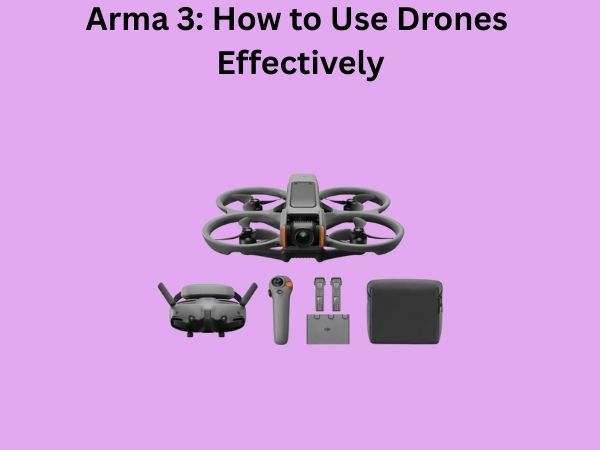
Once you’ve mastered conventional flying, consider exploring FPV (First-Person View) drones. These specialized aircraft come with cameras that stream real-time video to goggles the pilot wears, creating an immersive flying experience. It feels like you’re actually in the sky.
FPV flying is more challenging than traditional drone operation because you can’t see the physical drone—you’re relying entirely on the video feed. It’s like the difference between driving a car and driving a race car. The learning curve is steep, but the rewards are incredible.
Freestyle Flying and Acrobatics
Some pilots push the boundaries by performing tricks and acrobatics. Flips, rolls, dives, and complex maneuvers require advanced skills and specialized equipment. This is definitely not for beginners, but it demonstrates the incredible capabilities of modern drones.
Troubleshooting Common Flight Issues
Drone Won’t Take Off
If your drone refuses