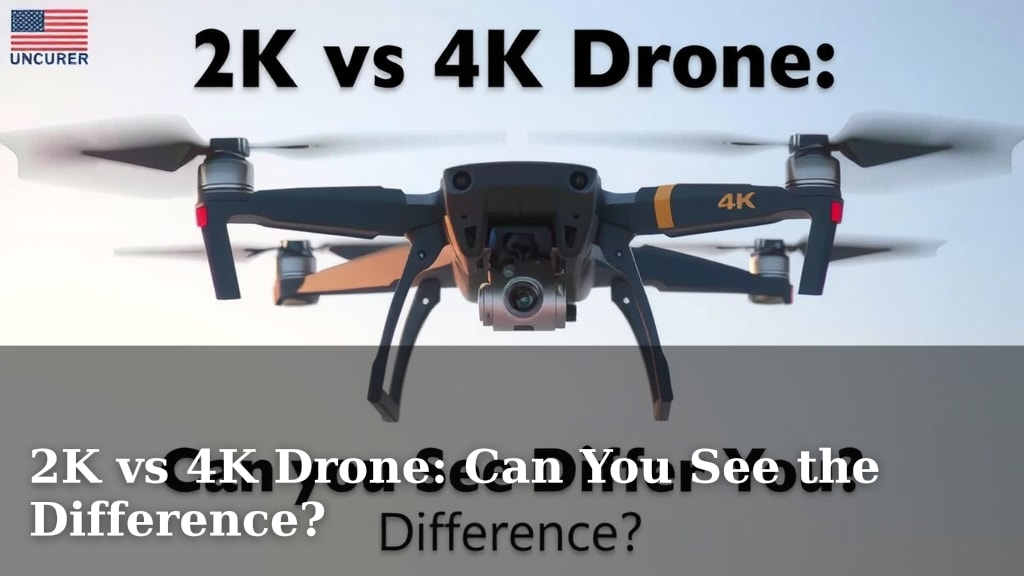
2K vs 4K Drone: Can You See the Difference?
Yes, you can often see the difference between 2K and 4K drone footage, especially on larger screens. 4K offers a sharper, more detailed image than 2K. While both are good, 4K provides a noticeably higher picture quality for your aerial shots. You’ll get a clearer view of distant objects.
When choosing a drone camera, resolution is key. Think about where you’ll be viewing your videos. For social media or small phone screens, the difference might be less obvious. But for cinematic projects or big displays, 4K resolution really shines. It gives you more flexibility in editing, too.
- 4K offers more detail than 2K.
- The difference is more noticeable on bigger screens.
- 4K gives you more editing options.
- Consider your viewing platform when choosing.
Let’s break down exactly what you get with each resolution and how it impacts your drone videos.
“`htmlUnderstanding Drone Video Resolution: 2K vs. 4K
So, you’re looking at drones and wondering about the video quality. You’ve seen terms like 2K and 4K. What’s the real difference for your aerial footage? We’re here to help you sort it out so you can get the best shots possible.
What Does “K” Even Mean in Resolution?
The “K” in 2K and 4K refers to the approximate number of pixels across the width of the screen. It’s a shorthand for how much detail a video can display. Think of it like looking through a window. A bigger window lets you see more of the outside world, right?
Pixels: The Building Blocks of Your Image
Each pixel is a tiny dot that makes up the digital image you see. The more pixels you have, the finer the details can be. This means sharper lines, smoother textures, and a clearer overall picture. It’s like having more tiny paintbrushes to create a more detailed painting.
Breaking Down 2K Resolution
Let’s start with 2K. It’s a step up from older resolutions like 1080p (Full HD). 2K video typically has a resolution of 2048 pixels wide. It’s good quality and can look great.
What to Expect from 2K Footage
For many uses, 2K is perfectly fine. If you’re mostly sharing videos on social media platforms like Instagram or TikTok, or if viewers will watch on their phones, 2K footage is often more than enough. You get a good amount of detail.
The “Good Enough” Standard
Many drones offer 2K as a standard resolution. It provides a nice balance between image quality and file size. Larger files take up more storage space and require more processing power to edit. Many experts say 2K is a solid choice for casual users.
Exploring the Power of 4K Resolution
Now, let’s talk about 4K. This is often called “Ultra HD” and it packs a serious punch in terms of detail. 4K video usually has a resolution of 3840 pixels wide. That’s roughly four times the number of pixels as 1080p, and twice the number of pixels as 2K.
The Visible Difference: Sharper, Clearer Images
When you compare 2K and 4K side-by-side, especially on larger screens like a TV or a computer monitor, the difference is often quite striking. 4K footage looks noticeably sharper. You can see finer details in the image that might be a bit soft or blurry in 2K. This means distant objects appear clearer, and textures are more defined.
Benefits of Higher Detail
Think about shooting landscapes. With 4K, you can capture the intricate patterns of leaves on trees far away. Or imagine filming a cityscape; individual windows and architectural details will be much more distinct. This level of detail adds a professional polish to your videos.
Editing Flexibility with 4K
One of the biggest advantages of shooting in 4K is the flexibility it gives you in post-production. Because you have so much detail, you can do a lot of zooming and cropping in on your footage without a significant loss of quality. This is often called “digital reframing.”
Zoom and Crop Without Losing Quality
If you shoot in 2K and then try to zoom in during editing, you’ll quickly see the image become pixelated or blurry. With 4K, you can zoom in quite a bit, and the footage can still look sharp when exported at 2K or even 1080p. This is incredibly useful for getting that perfect shot or creating dynamic camera movements in your edit.
Stabilization Magic
This zooming capability also helps with stabilization. Sometimes, drone footage can be a little shaky. By digitally zooming in slightly on 4K footage, you can crop out the shaky edges and have a smoother, more stable final video. This is a trick many professional videographers use.

Which Resolution is Right for You?
The choice between 2K and 4K really depends on your needs and how you plan to use your drone videos. There’s no single “best” answer, just the best answer for *you*.
| Feature | 2K Resolution | 4K Resolution |
|---|---|---|
| Pixel Width (Approx.) | 2048 pixels | 3840 pixels |
| Detail Level | Good | Excellent |
| Screen Size Impact | Less noticeable on small screens | Very noticeable on large screens |
| Editing Flexibility | Limited | High (Zoom, Crop, Stabilize) |
| File Size | Smaller | Larger |
Consider Your Viewing Platform
Where will your audience see your videos? If it’s mostly mobile phones and social media feeds, 2K might be sufficient. The difference might not be easily visible on those smaller screens. Many content creators find 2K works well for their platforms.
Think About Your Editing Workflow
Are you someone who loves to tinker in editing software? Do you want the ability to reframe shots or add smooth zooms? If so, 4K offers a much more forgiving canvas. However, be prepared for larger files and potentially longer processing times on your computer. You’ll need a reasonably powerful PC to edit 4K footage smoothly.
Budget and Storage Considerations
Drones with 4K cameras can sometimes be more expensive than those with 2K. Also, 4K video files are significantly larger than 2K files. This means you’ll need more storage space on your drone’s memory card and on your computer’s hard drive. Many users found they needed to upgrade their storage solutions when moving to 4K.
When to Choose 4K
You’ll likely want 4K if:
- You plan to display videos on large TVs or projectors.
- You want the highest level of detail for landscapes or intricate subjects.
- You need flexibility to crop or zoom in during editing.
- You’re aiming for a professional or cinematic look.
- You plan to print stills from your video footage.
When 2K Might Be Enough
You might be perfectly happy with 2K if:
- Your primary viewing platform is a smartphone.
- You are mainly posting to social media where compression reduces detail anyway.
- You have limited storage space or a less powerful computer for editing.
- You prioritize ease of use and faster editing over maximum detail.
- Budget is a significant concern.
Conclusion
So, can you see the difference between 2K and 4K drone footage? The answer is usually yes, especially on larger screens. 4K offers a sharper, more detailed image than 2K, giving your aerial shots a professional polish. While 2K is perfectly adequate for many uses, like social media, 4K provides that extra clarity and editing flexibility you might need for cinematic projects. Consider where your videos will be viewed and how you plan to edit them to make the best choice for your needs.
Your next step is to check the specs on the drones you’re considering and think about your personal viewing habits. Happy flying!
Frequently Asked Questions
Will 2K footage look bad on a 4K TV?
2K footage will generally look good on a 4K TV, but it won’t look as sharp as native 4K content. The TV will upscale the 2K image, which usually results in a decent picture. You might notice a slight softness compared to what the TV is capable of displaying.
Is 4K drone footage much larger in file size?
Yes, 4K drone footage files are significantly larger than 2K files. This means you’ll need more storage space on your drone’s memory card and your computer. Be prepared for longer transfer times and potentially needing to upgrade your storage solutions.
Can I edit 4K footage on an average computer?
Editing 4K footage smoothly requires a reasonably powerful computer. While you might be able to edit it on an average machine, you may experience lag or long render times. A computer with a good processor, ample RAM, and a dedicated graphics card will make the process much easier.
How does drone video compression affect 2K vs. 4K on social media?
Social media platforms compress video files, which can reduce the perceived difference between 2K and 4K. While 4K still offers more detail before compression, the final result on platforms like Instagram or TikTok might appear less distinct than when viewing the raw files.
Is it worth buying a 4K drone if I only watch videos on my phone?
If your primary viewing platform is a smartphone, the benefits of 4K might be less obvious. 2K footage is often sufficient for mobile viewing, and you’ll enjoy smaller file sizes and easier editing. However, 4K offers future-proofing and more editing options if you decide to zoom or crop.