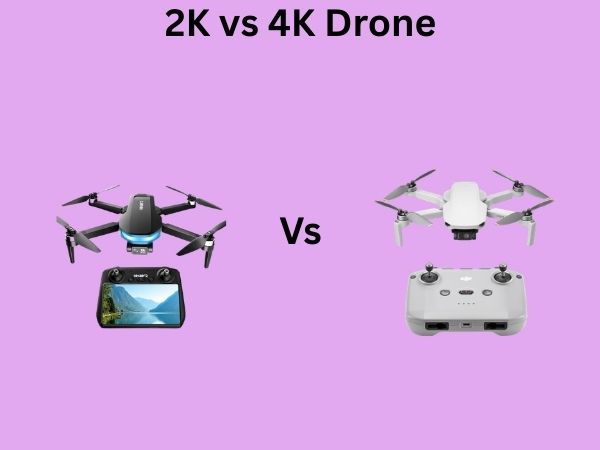
2K vs 4K Drone: Camera Quality and Real-World Differences
If you’re thinking about buying a drone, you’ve probably noticed that camera resolution seems to be the big selling point these days. Everyone’s talking about 4K this and 4K that, but here’s the thing—is 4K really worth the extra cash? What’s the actual difference between a 2K drone and a 4K drone when you’re out there actually using it? Let me break this down for you in a way that makes sense, because honestly, the marketing hype can be pretty confusing.
Understanding Drone Camera Resolution Basics
Let me start with the fundamentals because understanding resolution is key to making a smart purchase decision. Resolution basically refers to how many individual pixels make up your video or image. Think of it like a mosaic—the more tiny tiles you have, the clearer the overall picture becomes. More pixels means more detail, but it also means bigger files and more processing power needed to handle them.
When we talk about resolution, we’re usually discussing two numbers—the horizontal and vertical pixel count. This is what determines how sharp your footage looks and how much detail you can capture of the scene below you.
What Exactly Is 2K Resolution?
2K resolution refers to video footage that’s approximately 2048 pixels wide by 1080 pixels tall, though in practical drone terms, many manufacturers label 1920×1080 (Full HD) as 2K for simplicity. Some drones market their recording as 2K when they’re actually producing 2560×1440 video, which is technically between Full HD and true 4K.
Characteristics of 2K Drones
2K drones are generally lighter on your system’s resources. They require less processing power from the drone’s onboard computer, which means you can get longer flight times and better battery performance. The files you capture are also significantly smaller than their 4K counterparts, which means you won’t need massive amounts of storage.
- Lower power consumption equals longer flight times
- Smaller file sizes mean easier storage and backup
- Faster editing and rendering on your computer
- Lower cost for both the drone and storage solutions
- Perfectly adequate for most casual aerial photography
What Exactly Is 4K Resolution?
4K resolution is roughly 4 times the pixel density of 1080p Full HD. The standard is 3840 pixels wide by 2160 pixels tall. This means you’re capturing roughly four times the amount of visual information compared to standard 1080p video. It’s a massive jump in detail and clarity, but as with most things, it comes with trade-offs.
Characteristics of 4K Drones
4K drones pack a serious punch when it comes to image quality. You get crystal-clear footage with incredible detail that really shines when you’re viewing on a large screen or when you need to zoom in during post-production. However, this power comes at a cost.
- Four times the pixel information of 1080p
- Noticeably sharper detail and clarity
- Better for professional work and large-screen viewing
- Significantly larger file sizes
- Higher battery drain during recording
- More demanding processing requirements
Video Quality Differences You’ll Actually Notice
Here’s where things get interesting—because while 4K is technically superior, the real-world difference might surprise you. If you’re watching your footage on a smartphone or tablet, the jump from 2K to 4K is honestly pretty minimal. You’ll need a 4K display to really see the benefits, and even then, it depends on how far you’re sitting from the screen.
Sharpness and Detail
The most obvious difference is sharpness. With 4K, small objects on the ground become much more identifiable. Textures in buildings, trees, and landscapes appear crisper and more defined. If you’re filming something important like real estate or surveying land, this extra detail can be genuinely valuable.
Zooming and Cropping Capability
Here’s something people don’t always think about—4K gives you way more flexibility in post-production. If you shot in 4K and want to zoom in on a specific part of the frame, you can actually crop or zoom digitally without losing as much quality. It’s like having a digital zoom that doesn’t completely destroy your image.
Color Accuracy and Grading
Both 2K and 4K can capture excellent color, but with 4K, you have more information to work with when you’re color grading in post-production. You have more “data” to manipulate without introducing artifacts or color banding.
File Sizes and Storage Considerations
This is where things get real for your wallet and your hard drives. A typical 4K video file is approximately 1.5 to 2.5 times larger than a comparable 2K file, depending on the codec used and the frame rate. If you’re shooting a lot of footage, this adds up quickly.
Storage Requirements Breakdown
Let’s say you’re recording at 60 frames per second. A single hour of 2K footage might take up 30 to 40 gigabytes of storage space. The same hour of 4K footage? You’re looking at 60 to 100 gigabytes or more. That’s a dramatic difference.
- 2K at 60fps: approximately 30-40GB per hour
- 4K at 30fps: approximately 50-70GB per hour
- 4K at 60fps: approximately 100-150GB per hour
Backup and Archive Concerns
If you’re serious about drone work, you’ll want redundant backups of your footage. With 4K files, this backup burden becomes significantly more expensive. You’ll need multiple hard drives, cloud storage subscriptions, or both, which adds to the total cost of ownership over time.
Processing Power and Battery Life Impact
Recording 4K video is more demanding on the drone’s processor and sensor. This translates directly into faster battery drain. Most drones will see a noticeable reduction in flight time when recording in 4K compared to 2K.
Battery Life Comparison
A typical high-end drone might give you 25 minutes of flight time when shooting 2K, but only 15 to 18 minutes when shooting 4K. This might not sound like much, but when you’re out in the field trying to capture specific shots, it adds up. You’ll need to buy additional batteries if you want to shoot primarily in 4K.
Thermal Considerations
Higher processing demands also mean more heat generation. This can sometimes cause drones to throttle their performance or even shut down temporarily if they overheat, particularly when flying in warm weather. 2K drones generate less heat and are more reliable in hot conditions.
Cost Comparison and Budget Considerations
Let’s talk money, because this is probably one of your biggest concerns. A quality 2K drone will typically cost you between three hundred and eight hundred dollars. A comparable 4K drone will run you anywhere from twelve hundred to three thousand dollars or more, depending on the brand and features.
Total Cost of Ownership
But here’s what people often miss—the initial purchase price isn’t the whole story. With a 4K drone, you’re also investing in:
- Additional storage drives and cloud subscriptions
- More replacement batteries
- Potentially more powerful computer equipment for editing
- Software subscriptions for video editing
- Faster internet connection for uploading files
When you add all these factors together, a 4K setup might cost you two to three times what a quality 2K setup would.
Real-World Use Cases for Each Resolution
The truth is, different situations call for different tools. Let me help you figure out which resolution makes sense for what you’re trying to do.
When 2K Is Perfectly Adequate
If you’re a hobbyist who likes flying drones for fun and wants to share videos on YouTube or social media, 2K is totally fine. YouTube actually compresses 4K footage quite a bit when you upload it, so you’re not even getting the full benefit. Same goes for Instagram, TikTok, or Facebook—these platforms compress video heavily, so the difference becomes negligible.
2K is also ideal if you’re doing real estate photography, which typically involves still images rather than video. For action footage like racing drones or dynamic aerial shots, 2K provides plenty of detail.
When You Really Need 4K
4K becomes genuinely valuable when you’re doing professional video production, especially for clients who might display your work on larger screens. If you’re creating films for corporate training, documentaries, or high-end marketing materials, 4K gives you that professional polish.
4K is also your friend if you plan to crop, zoom, or reframe footage in post-production without losing quality. Sports production, wildlife documentation, and professional surveying all benefit from the extra detail 4K provides.
Future-Proofing Your Investment
Here’s a question worth considering—where is video technology heading? 4K has become increasingly standard in the last few years. Professional work seems to be trending toward 4K as the baseline expectation. If you’re thinking about your drone as a long-term investment, 4K might be the safer choice even if you don’t strictly need it right now.
Resale Value
Interestingly, 4K drones hold their resale value better than 2K models. As technology advances, older 2K drones become less desirable, while 4K drones remain relevant longer. If you think you might upgrade in a few years, a 4K drone will fetch a better price on the used market.
Editing and Post-Production Differences
After you’ve captured your footage, the editing process reveals more differences between 2K and 4K.
Computer Requirements
Editing 4K footage demands a more powerful computer. You’ll want a processor with multiple cores, plenty of RAM (at least 16GB, preferably 32GB or more), and a fast graphics card. Editing 2K footage can be done smoothly on a mid-range computer from the last few years.
Rendering Times
When you’re ready to export your final video, 4K projects take significantly longer to render. A five-minute 4K video might take 15 to 30 minutes to export, while the same project in 2K might only take 3 to 5 minutes. If you’re doing lots of projects, this time difference adds up.
Playback Performance
Scrubbing through 4K footage on your timeline isn’t always smooth unless you have a powerful computer. You might need to create proxy files (lower-resolution versions) for editing, then switch back to the high-resolution versions for the final export. This adds extra steps to your workflow.
Display and Viewing Considerations
Here’s something crucial that often gets overlooked—you need a 4K display to actually see the benefits of 4K video. If you’re viewing on a standard 1080p monitor, the advantages essentially disappear.
Screen Size Matters
Even with a 4K display, if you’re watching on a small screen, the difference between 2K and 4K becomes barely noticeable. You need a reasonably large screen (at least 27 inches) viewed at normal distance for the extra resolution to really make a difference.
Streaming Limitations
If you’re uploading your videos to streaming services, most platforms actually compress 4K footage significantly. YouTube, for example, will encode your 4K video down to various bitrates depending on the viewer’s connection speed. This means much of the quality advantage of 4K gets lost in transmission.
Professional vs Hobbyist Needs
The line between hobbyist and professional flying has gotten blurry with modern drones, but the distinction still matters for your purchasing decision.
Professional Requirements
If you’re charging clients money for your drone services—whether that’s aerial photography, videography, or surveying—4K is becoming a competitive necessity. Clients expect high-quality output, and 4K demonstrates that you take your work seriously. Professional drones with 4K cameras are now industry standard.
Hobbyist Freedom
As a hobbyist, you have the luxury of choosing based on what you actually want to do, not what clients expect. Many hobbyists find that a 2K drone gives them everything they need while being easier to use, cheaper to operate, and less demanding of their storage and editing systems.
Performance in Different Lighting Conditions
Here’s something that doesn’t get discussed enough—how well do 2K and 4K drones perform when conditions aren’t perfect?
Low Light Performance
In low light situations, larger sensors tend to perform better than smaller ones. Some 2K drones actually use larger sensors than certain 4K drones, which means they might capture better low-light footage despite lower resolution. This is because sensor size matters just as much as pixel count when it comes to light sensitivity.
Dynamic Range
Dynamic range refers to the difference between the brightest and darkest parts of your image that the camera can capture simultaneously. While 4K cameras can offer good dynamic range, not all of them are superior to 2K options. This is more about the specific camera technology than the resolution itself.
Conclusion
So, which should you choose—2K or 4K? Honestly, it depends on your specific situation. If you’re just getting into drone photography and flying for fun, a quality 2K drone will give you excellent results without breaking the bank or overwhelming your computer setup. You’ll be able to shoot longer on a single battery, manage your files more easily, and enjoy the whole experience without technical headaches.
However, if you’re doing professional work, if you plan to display your footage on large screens, or if you want to future-proof your investment, 4K is worth the extra expense. The image quality advantages are real, and in professional